
Install the Magha Casino app on your smartphone and enjoy games anytime, anywhere. Fast installation, a clean interface, and specially optimized for users in Bangladesh.
Magha Casino is available on both Android and iOS.
Most smartphone users in Bangladesh are on Android. The Magha Casino Android APK can be downloaded directly from our site — no Play Store account needed, and installation is straightforward.
Android 6.0+ Works on version
File size only 35 MB, fast download
Auto-updates keep you on the latest version at all times
IPhone and iPad users can enjoy Magha Casino directly from Safari or Chrome. iOS also supports adding the site to your home screen as a PWA (Progressive Web App).
iOS 13+ Runs seamlessly on version
No App Store needed On the Home Screen Add
Touch ID and Face ID login support
Just follow these simple steps to install the Magha Casino app on your Android phone in just a few minutes.
On your Android phone, go to Settings > Security or Privacy and enable the Unknown Sources option. Without this, the APK file will not install. Only use this setting when downloading files from trusted sources.
Download the latest APK file from the official Magha Casino site. Once the download is complete, you'll find the file in your phone's Downloads folder.
Tap the downloaded APK file. The installation wizard will launch. Tap the "Install" button and wait a few seconds.
Once installation is complete, the Magha Casino icon will appear on your home screen. Open the app, log in to your account or create a new one, and start playing.

IOS users can add the Magha Casino site as a shortcut on their home screen via the Safari browser, and it works just like a native app.
Open the Safari browser on your iPhone or iPad and go to maghacasino.com. Chrome and other browsers work too, but Safari offers the best PWA experience.
Tap the share icon at the bottom center of your screen (a square with an upward arrow). A menu will appear with several options.
From the menu, find and tap "Add to Home Screen." You'll get the option to enter a name — keep it as is and tap "Add."
The Magha Casino icon will now appear on your iPhone's home screen. Tapping it launches the game in full-screen mode — just like a native app.
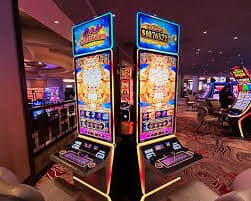
Here's what your device needs to run the Magha Casino app.
| Subject | Minimum | Recommended |
|---|---|---|
| OS version | Android 6.0 | Android 10+ |
| RAM | 2 GB | 4 GB+ |
| Storage | 50 MB | 100 MB+ |
| Internet | 3G | 4G / Wi-Fi |
| Processor | Quad-core 1.4 GHz | Octa-core 2.0 GHz+ |
| Subject | Minimum | Recommended |
|---|---|---|
| OS version | IOS 13 | IOS 16+ |
| Device | IPhone 7 | IPhone 12+ |
| Storage | 30 MB | 80 MB+ |
| Internet | 3G | 4G / Wi-Fi |
| Browser | Safari 13 | Safari 16+ / Chrome |

Find out why the Magha Casino app is more convenient than playing in a browser.
The app uses your device's cache, so it loads faster each time. Games run smoothly even on a weak network connection.
Get notified directly on your phone about new bonuses, upcoming tournaments, and special promotions.
Log in instantly with your fingerprint or Face ID — no need to remember your password.
Dark mode is easy on the eyes for late-night sessions and switches automatically based on your device's system theme.
The app downloads new versions on its own — you won't need to update it manually every time.
The app features much stronger SSL encryption and session token management, keeping your account secure.
Mobile internet usage in Bangladesh grows every year, and so does the demand for gaming on the go — whether at home or out and about. Magha Casino built its mobile app with exactly this in mind. It's not just for playing games; you can make deposits, check bonuses, and chat with live support, all from a single app.
Most people in Bangladesh use mid-range or budget Android phones. The Magha Casino app is built with that in mind, running smoothly even on devices that are 3 to 4 years old. Graphics auto-adjust to match your device's capability, keeping performance consistent without draining your battery.
You'll have a great experience on 4G, but the Magha Casino app works reasonably well on 3G connections too. The app's data compression feature helps stretch your mobile data package further — especially with slots and Fish Game, where data usage is relatively low.
Many fake sites online distribute counterfeit apps. APK files from these sources can be dangerous for your phone. Magha Casino only distributes APKs through their official site, and every file is digitally signed — making it easy to spot fakes. Never download from suspicious links.
When you download the Magha Casino app for the first time and log in or create a new account, you may be eligible for an exclusive mobile bonus. These bonuses typically come as free spins, cashback, or deposit match offers. Keep an eye on the promotions page regularly.
If you'd like to enjoy Magha Casino on a laptop or desktop, that works just as well. The web version runs smoothly on Chrome, Firefox, Edge, or any modern browser. Live Casino games are an even more immersive experience on a larger screen.
After installing the app, if you already have a Magha Casino account, simply log in with your existing username and password. If you're new, complete the registration process and claim your welcome bonus. If you have a promo code, make sure to enter it before your first deposit.
All in all, the Magha Casino mobile app is a complete solution for gamers in Bangladesh. It's not just a gaming platform — it's a full entertainment hub that fits right in your pocket.
Only download the Magha Casino APK from the official website. Files from third-party sites or unknown links put your device and personal data at risk. If you spot anything suspicious, let our support team know.
Answers to the most frequently asked questions about the download.
Download the Magha Casino app and start your gaming journey today. A special welcome bonus is waiting for new members.